
Platforms · 5 min read
Privacy-friendly analytics for WordPress, without a plugin
How to add cookieless, GDPR-friendly analytics to a WordPress site with one line of code, and why skipping a heavy analytics plugin keeps your site fast.
By the StaTrak team ·
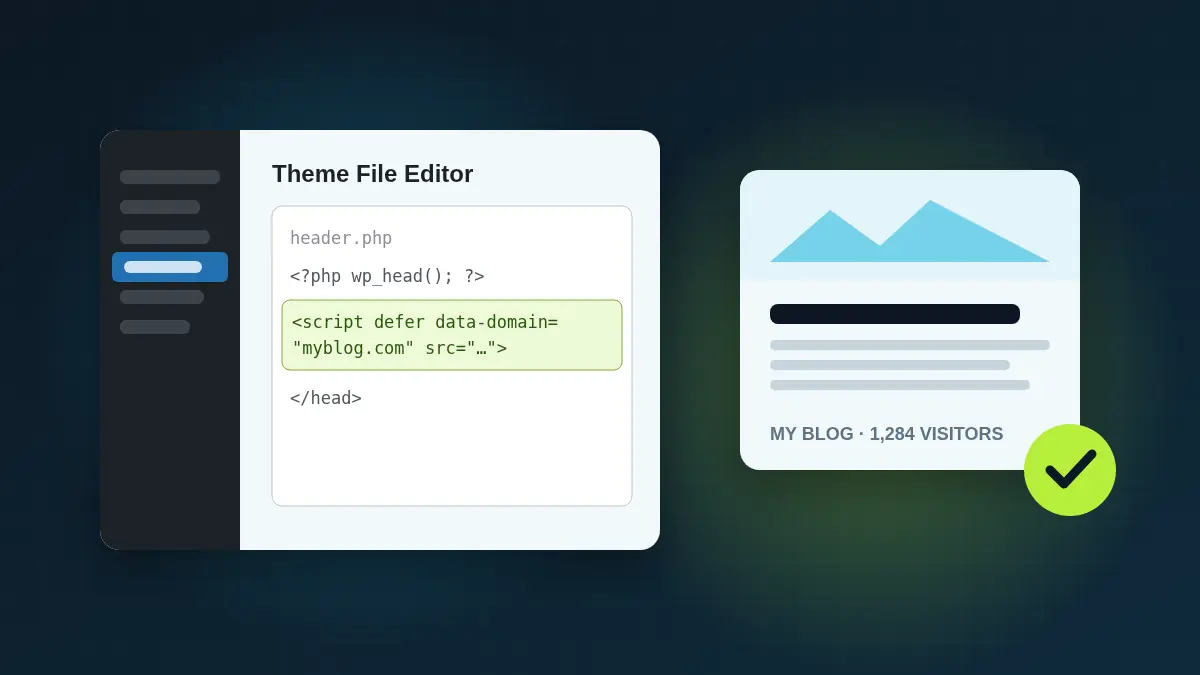
WordPress powers a huge share of the web, and many WordPress sites run analytics through plugins that add database tables, admin pages and cookies. If you just want to know how many people visit and what they read, a single script tag is lighter and simpler.
Option 1: Add the script to your theme
- In StaTrak, add your site and copy the snippet.
- In WordPress, go to Appearance → Theme File Editor and open header.php.
- Paste the snippet just before the closing </head> tag and click Update File.
<script defer data-domain="myblog.com" src="https://statrak.com/js/script.js"></script>Option 2: Use a header-scripts plugin
If you'd rather not edit theme files, any plugin that inserts code into the site header works. Paste the snippet into its header field and save. Block themes with the Site Editor can use the same approach.
Why not an analytics plugin?
- Speed: a deferred script of a few kilobytes doesn't block rendering or add database queries.
- Privacy: no cookies, so no consent banner just for analytics.
- Maintenance: no plugin to update, and nothing for your theme or other plugins to conflict with.
- Portfolios: the same snippet works on every WordPress site you run, and all of them appear in one StaTrak dashboard.
Excluding your own visits
While you're logged in and editing posts, you'll visit your own site a lot. To keep those visits out of your stats, open your site, open the browser console and run localStorage.setItem("statrak_ignore", "true"). Only your browser is affected.
The footer link
StaTrak is free, and the script adds a small "Analytics by StaTrak" link to your theme's footer. Most WordPress themes use a <footer> element, so it lands there automatically. To place it inside a specific widget or block, add a Custom HTML block containing <div data-statrak-badge></div>.