Features · 6 min read
Turn visitors' feedback into fixes: bug reports, ideas and messages in one widget
Add a feedback button to your website so visitors can report bugs, suggest improvements or contact you, with the page, device and their path included automatically.
By the StaTrak team ·
“The checkout doesn't work” is the most useless bug report there is. Which page? Which phone? What did they click before? StaTrak's feedback widget answers those questions for you, because it knows the context your analytics already has.
What visitors see
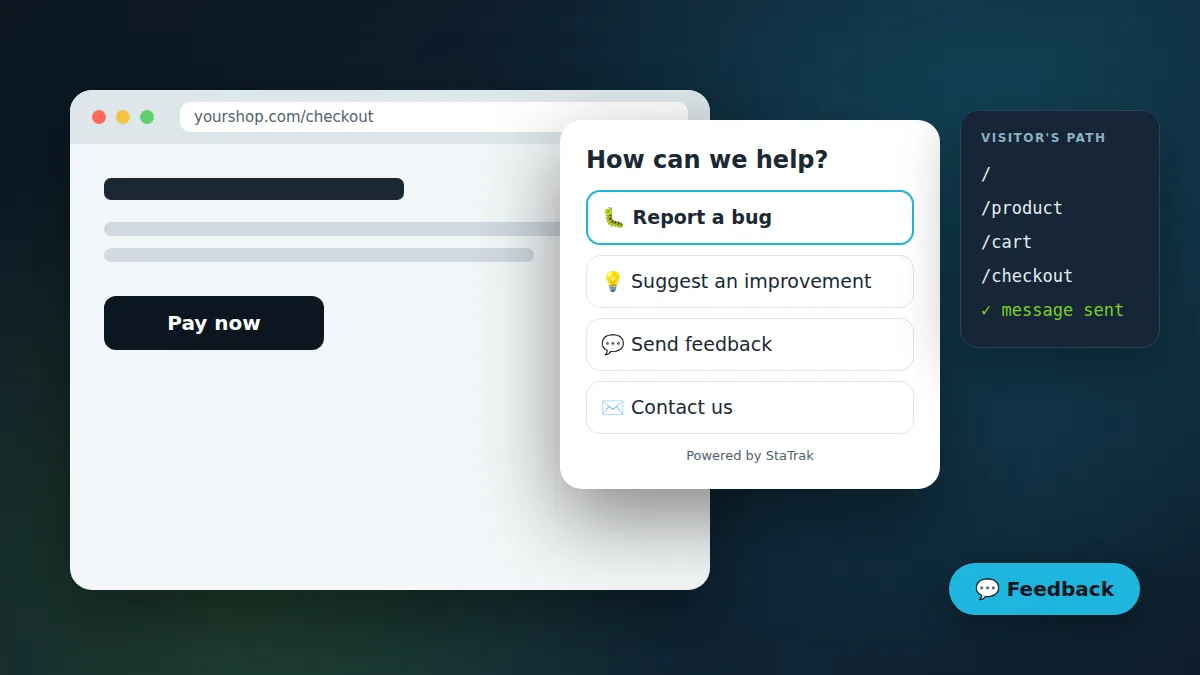
A small button in the corner of your site opens a panel with the options you choose: report a bug, suggest an improvement, send feedback, ask a question, or contact you. Visitors type a message and, if they like, leave an email so you can reply. It works on phones and desktops, follows dark mode and your brand colour, and is keyboard accessible.
What you receive
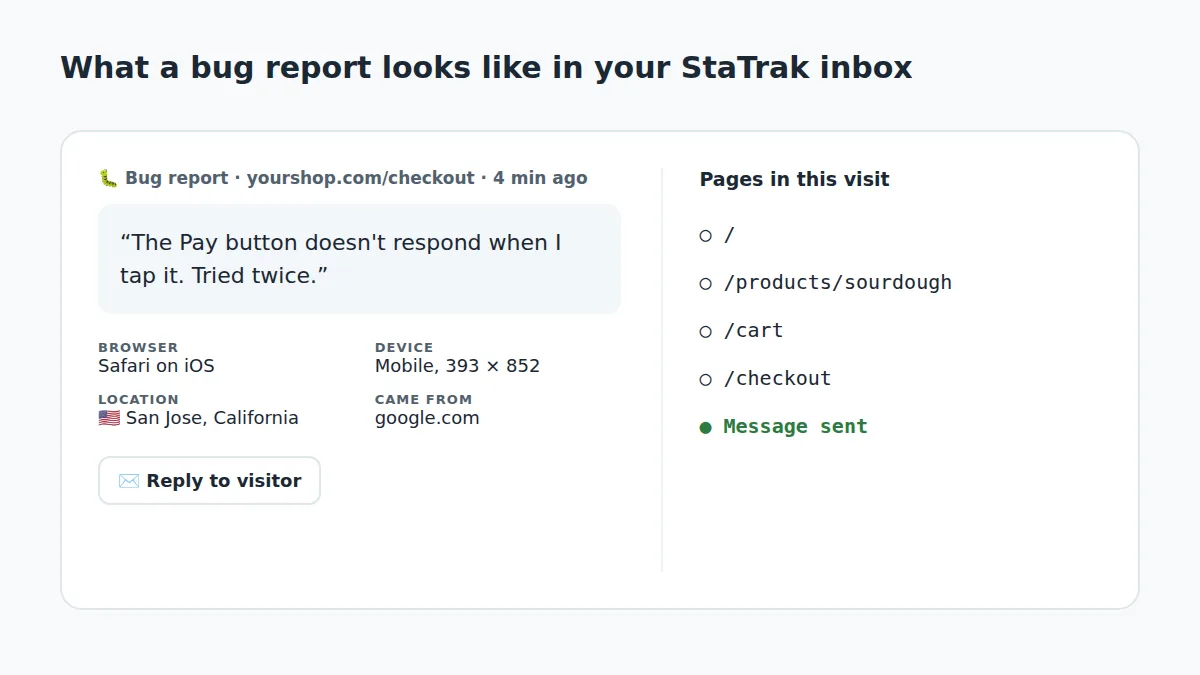
- The exact page, its title, and where the visitor came from.
- Browser, operating system, device type and screen size, so you can reproduce the problem.
- Country, region and city.
- The pages they viewed in that visit, in order: Home → Product → Cart → Checkout → message sent.
- Their answer to your own question, if you set one.
Messages land in one inbox for all your websites, where you can filter by site, type and status, search, resolve, archive or reply. You also get an email for each new message, and you can send them to Zapier, Make or your own app with a webhook.
Ask the one question that matters
Each site can show a question of your own above the message box. A shop might ask “What stopped you from completing your purchase?”, a SaaS site “Which feature are you looking for?”, a blog “Was this article useful?”. Answers appear next to each message, so patterns jump out.
Insights that point at the problem
The inbox's Insights tab groups messages by page and compares them with how those pages perform. If five people reported the checkout this week, mostly from Safari on iPhone, and that page's exit rate is high, you know where to look first.
Private by design, protected from spam
No cookies are used and visitors see what's included before they send. Only verified owners can turn the widget on for a domain. Bots are filtered with a hidden field and timing checks, and each visitor can send a limited number of messages an hour.